Descrizione
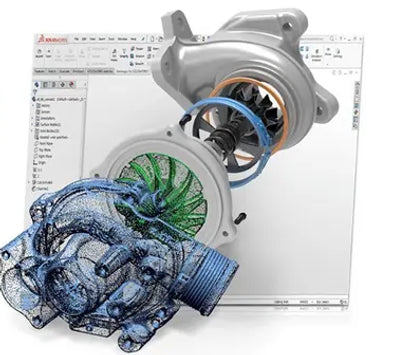
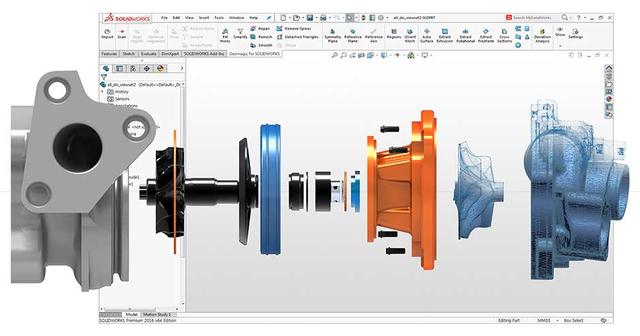
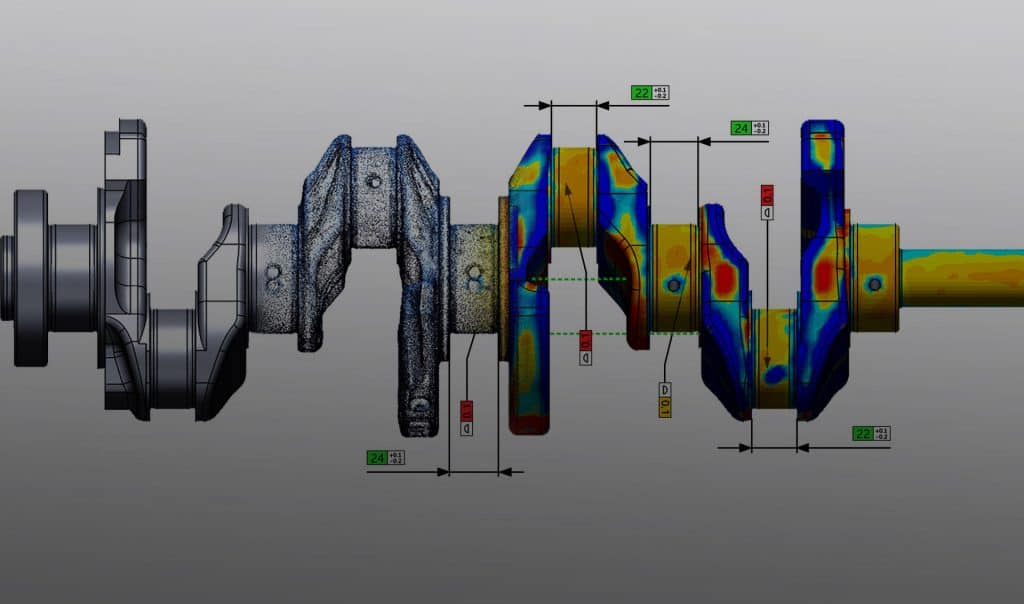
Geomagic for SOLIDWORKS is the industry's most comprehensive integrated Scan-to-SOLIDWORKS modeling solution. Reduce the time it takes to create complex 3D models of real-world objects by scanning directly or importing scan data into SOLIDWORKS. Advanced, automated wizards quickly and easily create precise sketches, surfaces, or editable feature-based solid parts within SOLIDWORKS. Geomagic for SOLIDWORKS is a software toolset that connects directly to the SOLIDWORKS environment, offering advanced capabilities to make point cloud and polygon tools more usable in the design process. This software supports a wide range of popular 3D scanners, as well as importing standard point and polygon file formats. You can import data or scan directly into SOLIDWORKS and use feature extraction wizards to extract sketches, surfaces, and CAD solids.
- Capture and use high-resolution real-world 3D shapes and features within Solidworks
- Use accurate part location references or feature references in the design file
- Extend the Solidworks environment to work effectively with Point and Polygon data types.
- Geomagic makes polygon data usable within a design environment
- Reduce your product's time to market by eliminating inefficiencies in the design process
Integrated reverse engineering software toolset with direct connection to the SOLIDWORKS environment
MakeAdditive resells 3D Systems' Geomagic series software only in conjunction with Shining 3D 3D scanners throughout Italy.
Contact our team of experts today for any information on Geomagic for Solidworks and to schedule a demonstration.
Why choose Geomagic for SOLIDWORKS?
- Scan directly into SOLIDWORKS®.
- Plug-in tools that include a subset of Geomagic® Design X™ tools.
- Industry-leading performance at a competitive price.
What is Geomagic for SOLIDWORKS?
Imagine being able to capture any physical event and draw a digital solid model in minutes.
Geomagic® for SOLIDWORKS is a software toolset that connects directly to the SOLIDWORKS environment with advanced capabilities for bringing scan data and point clouds into the design process. You can import data or scans directly into SOLIDWORKS and use the feature extraction wizards to extract CAD sketches, surfaces, and solids.
Using Geomagic for SOLIDWORKS, customers have achieved:
- 25% more accurate parts than using SOLIDWORKS alone for simple mechanical parts
- 30% reduction in time from initial 3D scan to final SOLIDWORKS CAD file
- 40% faster total reverse engineering workflow time for complex organic mechanical parts (e.g., impeller parts)
- 15-40% faster total reverse engineering workflow time than general CAD on mechanical parts
- 40-50% faster total reverse engineering workflow time than generic CAD on organic parts
What can you do with Geomagic for SOLIDWORKS?
Geomagic for SOLIDWORKS acts as a bridge between physical parts and the CAD environment and SOLIDWORKS. It enables rapid design and engineering, offering a streamlined path to manufacturing. Increase design productivity and fuel your creativity using reference data captured from the real world. Transfer physical objects into SOLIDWORKS and design from existing parts for perfect fits.
Geomagic for SOLIDWORKS lets you 3D scan directly into SOLIDWORKS and create solid models using a proven, integrated toolset for accurate design results.
Geomagic for SOLIDWORKS supports all major scanners and portable CMMs, as well as importing standard point and polygon file formats. Check out our 3D scanning guide to find out which scanner types are best for your needs.
Use Geomagic for SOLIDWORKS with Geomagic Control X™ inspection and metrology software and Geomagic Wrap® 3D scanning software for a complete scan-based design and inspection package.
- Transforming physical parts into CAD data for innovative design to create products impossible to manufacture without reverse engineering, such as:
- Lost or non-existent CAD data for damaged tooling and molds
- new components that integrate seamlessly with existing components
- customization of parts that require a perfect fit to the human body
- Quick and easy comparison between CAD objects and scanned objects
- Acquire and process color 3D scans in SOLIDWORKS with 3D scanning devices that support color information capture
- Scan any object, or almost any object, to create solid parts and production-ready models
What's New in Geomagic for SOLIDWORKS
Geomagic for SOLIDWORKS 2021 improves scan-to-CAD workflows within SOLIDWORKS, enabling reverse engineering directly from point clouds. These new workflow improvements also accelerate the overall reverse engineering process.